MDM

Remove MDM Lock
In Minutes

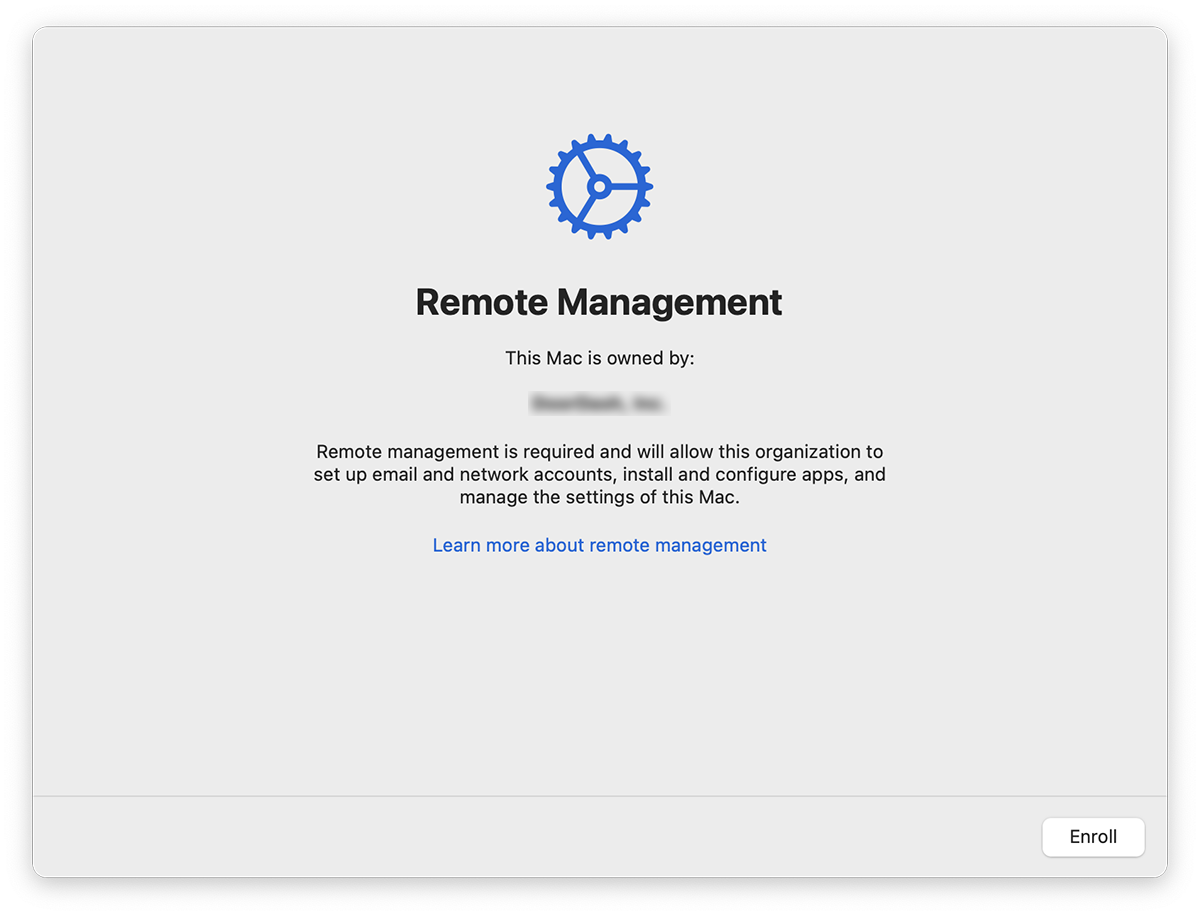
Skip the Remote Management screen on iPhone, iPad, or Mac.

Seeing "Device Enrollment" or "Remote Management" on setup? Get past it fast with a simple software tool. Works on all models without technical knowledge.

Remote Management Screen

Get Started

A quick walkthrough from start to finish.

1

Get the Tool

Download for macOS — takes 30 seconds.

2

Plug In

Connect your device via USB and tap "Trust" on screen.

3

Activate

Enter serial, complete checkout, and you're ready.

4

Done

Hit the button and the lock screen disappears.

Services

One payment. Works forever. No subscriptions.

iPhone

All models from iPhone 5S to iPhone 17 Pro Max

$10
  • iOS 12 – 26 supported
  • Instant activation
  • Free re-bypass
Learn more

iPad

All iPad Pro, Air, Mini, and standard models

$10
  • iPadOS 12 – 26 supported
  • Instant activation
  • Free re-bypass
Learn more

Mac

MacBook, iMac, Mac Mini, Mac Studio, Mac Pro

$25
  • macOS 10 – 26 supported
  • Instant activation
  • Free re-bypass
Learn more

Key Features

What makes this tool effective and reliable.

Quick Process

Complete the entire process from download to unlock in under 5 minutes.

Secure

No data is stored or uploaded. Your files remain untouched.

Unlimited Use

Factory reset your device anytime and bypass again at no extra cost.

Universal Compatibility

Works on devices from any region, carrier, or organization.

No Jailbreak Required

Keeps your warranty and device security fully intact.

24/7 Support

Need assistance? Contact support anytime and receive a prompt response.

Frequently Asked Questions

Common questions about MDM removal.

Can I update my device after the bypass?

Yes, you can install iOS, iPadOS, or macOS updates normally. The bypass remains effective after software updates. If you factory reset the device, simply run the tool again at no extra cost.

Is my registration permanent?

Yes. Once you register your device, the license is tied to your serial number forever. You can re-bypass anytime after a factory reset without paying again.

Will this remove iCloud Activation Lock?

No. This tool only removes MDM and Remote Management profiles. iCloud Activation Lock (Find My) is a separate feature and requires a different solution.

Is my data safe during the process?

Yes. The tool does not access, modify, or upload any personal data. It only removes the MDM enrollment profile from your device.

Will the MDM lock return?

The MDM lock will not return unless you factory reset your device. To keep your device MDM-free, avoid erasing all content and settings. If you do need to reset, simply run the tool again using your existing registration at no extra cost.

How long does the process take?

The entire process from downloading the software to completing the bypass typically takes under 5 minutes for iPhone and iPad, and under 10 minutes for Mac.

MDM Bypass and Remote Management Removal Services

UnlockMDM provides professional MDM bypass services for iPhone, iPad, and Mac devices. Our MDM removal tool helps you unlock MDM locked devices, remove Remote Management profiles, and bypass device enrollment screens. Whether you need to unlock a company device, remove enterprise management, bypass school device restrictions, or remove corporate MDM profiles, UnlockMDM is your solution.

How to Unlock MDM on iPhone

Remove MDM from iPhone easily with our one-click MDM bypass tool. Works on all iPhone models including iPhone 5S, iPhone 6, iPhone 7, iPhone 8, iPhone X, iPhone XR, iPhone XS, iPhone 11, iPhone 12, iPhone 13, iPhone 14, iPhone 15, iPhone 16, and iPhone 17. Supports iOS 12, iOS 13, iOS 14, iOS 15, iOS 16, iOS 17, iOS 18, and iOS 26.

How to Remove Remote Management from iPad

Bypass MDM on iPad including iPad Mini, iPad Air, iPad Pro. Remove Remote Management screen, skip MDM enrollment, unlock supervised iPad. iPadOS 12 through iPadOS 26 supported.

How to Bypass MDM on Mac

Remove MDM from MacBook, MacBook Pro, MacBook Air, iMac, Mac Mini, Mac Pro, Mac Studio. Bypass Remote Management on macOS Catalina, Big Sur, Monterey, Ventura, Sonoma, Sequoia.

What is MDM?

MDM stands for Mobile Device Management. MDM is used by companies, schools, and organizations to manage and control devices. Remote Management allows administrators to enforce policies, install apps, and restrict features. If you have a device with MDM lock or Remote Management screen, you need an MDM bypass tool to remove it.

MDM Bypass Solutions

Bypass Jamf MDM, remove Mosyle management, bypass Kandji, remove Hexnode, bypass VMware Workspace ONE, remove Microsoft Intune, bypass Apple Business Manager, remove Device Enrollment Program (DEP), bypass Automated Device Enrollment (ADE).

Worldwide MDM Removal Service

MDM bypass available in United States, Canada, United Kingdom, Australia, Germany, France, Spain, Italy, Netherlands, Belgium, Switzerland, Austria, Sweden, Norway, Denmark, Finland, Ireland, New Zealand, Singapore, Japan, South Korea, Brazil, Mexico, India, South Africa, UAE, Saudi Arabia, and worldwide.